Themes & appearance
Zephyr ships with seven built-in themes plus a custom-theme builder and a system font picker.
Built-in themes
The first section of Settings is a horizontal carousel of themes. Click any one to switch instantly.
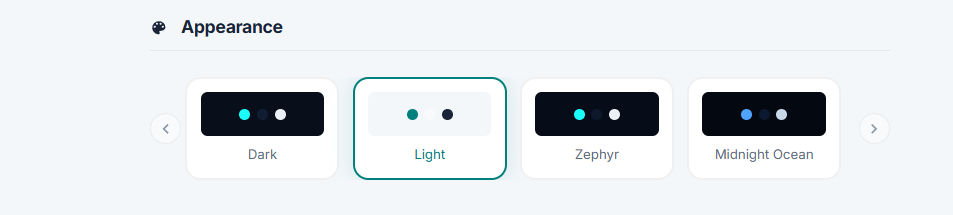
| Theme | What it looks like |
|---|---|
| Dark | Standard dark UI. |
| Light | Light UI. |
| Zephyr | The default Zephyr look. |
| Midnight Ocean | Deep blue / navy. |
| Crimson | Dark with red accents. |
| Amethyst | Dark with purple accents. |
| Pinky | Dark with pink accents. |
| Custom | Whatever you set in the custom theme builder. |
Theme switching is instant and persists per machine.
Custom theme
Picking the Custom theme opens the builder. You set:
- Accent - the highlight colour for buttons, active state, etc.
- Background - the main app background.
- Cards - the surface colour for cards, panels, modals.
- Text - primary text colour.
Changes preview live.
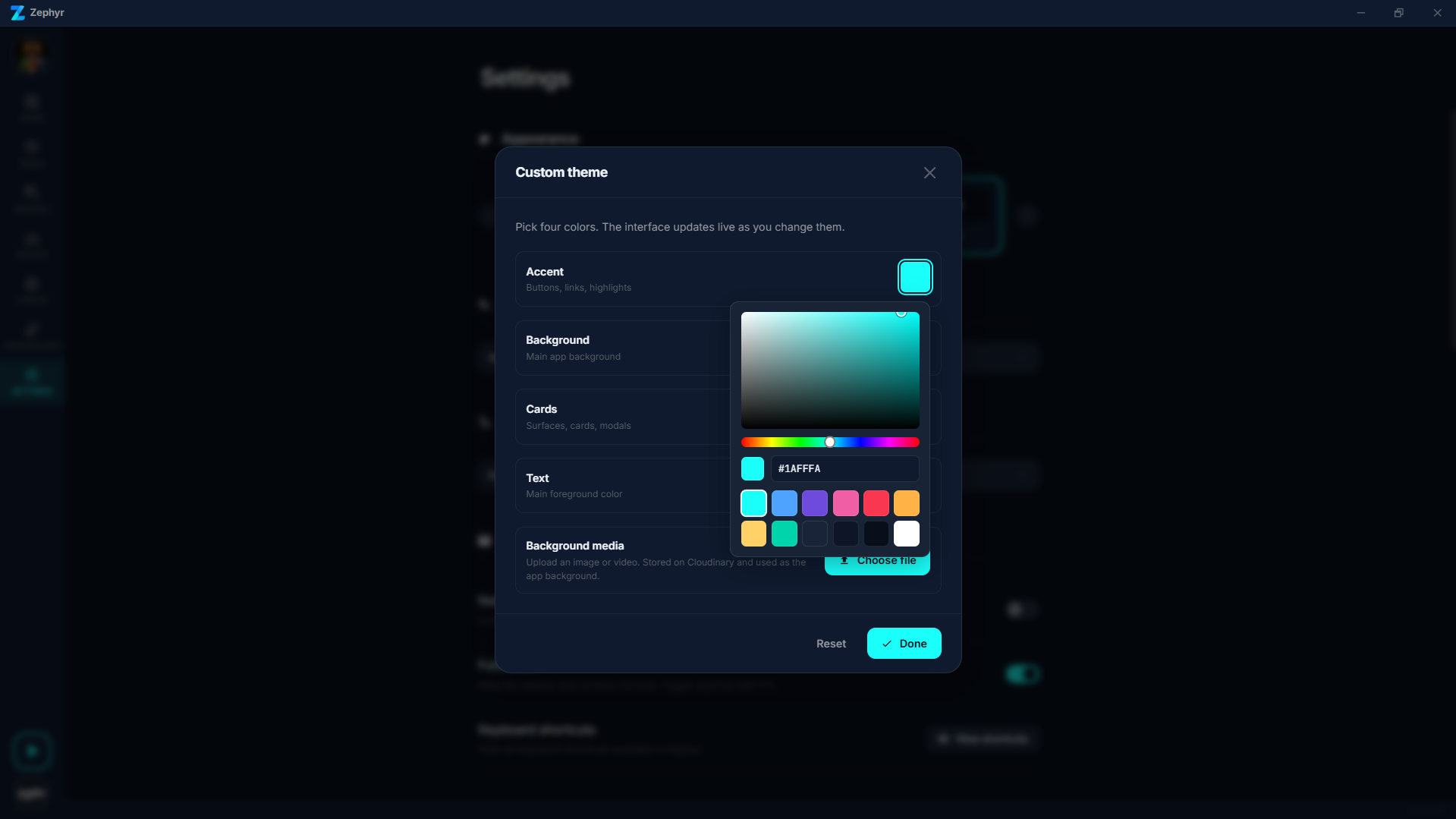
The same modal has a Background media picker that lets you upload an image or video to use as the app background. The file is stored locally and served back to the WebView.
Font
The Font family setting offers three bundled fonts (Inter (default), Outfit, DM Sans) plus any TTF/OTF font installed on your system.
DPI scaling
The Display section in Settings has a DPI Scaling dropdown that scales the whole interface in named steps from 75% up to 200%. Ctrl + = / - and Ctrl + mouse wheel nudge the same setting.
Window
The Window section in Settings has:
- Native title bar (non-macOS only) - use the OS title bar instead of Zephyr's custom one.
- Fullscreen - toggle the window into fullscreen (also bound to F11, or Cmd+F on macOS).
- Shortcuts - opens a modal listing the keyboard shortcuts Zephyr binds.
Other preferences
The Settings page also covers:
- Language - app locale.
- Gamepad - enable / disable gamepad navigation and see what controller Zephyr detected.
- Sources - opt CurseForge in or out of the catalog (Beta).
- Miscellaneous - automatic mod fetching, pull-before-launch.
- Locations - where Zephyr stores its data and cache folders. The path can be changed.