Profiles
A profile is one independent set of mods for a game. Most people end up with three or four per game, scoped by what they're doing - solo, with friends, hardcore-mode, vanilla-with-fixes-only.
Why profiles
Without profiles you'd be uninstalling and reinstalling mods every time you wanted to play differently. Profiles let you build a setup once, name it, and switch to it in a click.
Each profile keeps its own:
- Installed mods (and which versions)
- Mod configs
- Enabled/disabled state per mod
- Custom load order
The Profiles page
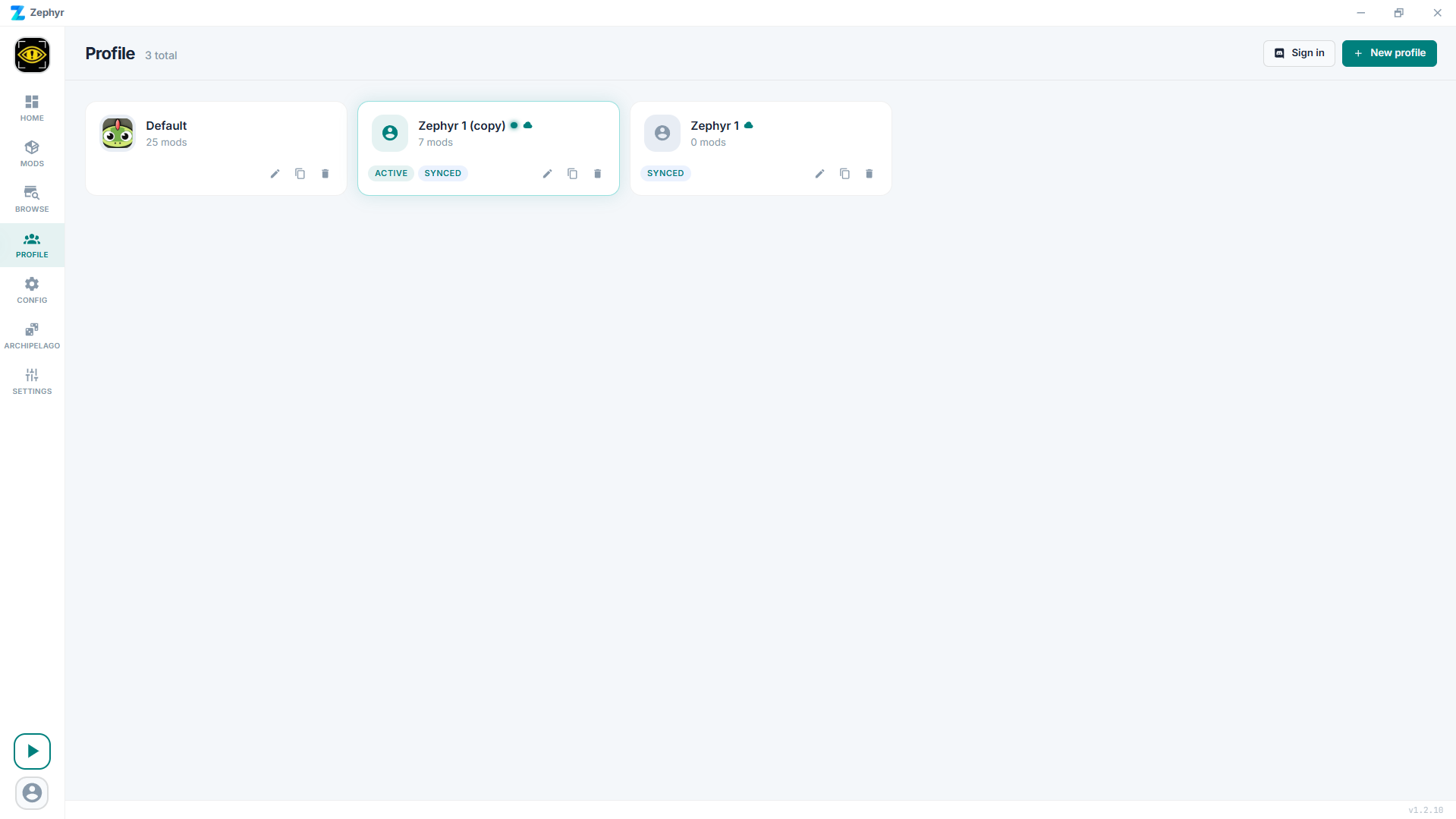
Each card shows the profile name, mod count, an active badge if it's the one currently selected, and (if you're signed in to cloud sync) a synced badge.
Creating
Click New profile, give it a name, hit Create. The new profile starts empty. There is a hard limit of 20 profiles per game.
To clone an existing profile (same mods, configs, load order), use the duplicate icon on its card.
To import a profile from someone else, see Sharing below.
Switching
Click a profile card to make it active. The switch is instant. The Mods page and the launch button now use the new profile.
Renaming
Each profile card has a pencil icon that opens a rename prompt.
Deleting
Each profile card has a trash icon. Zephyr asks for confirmation. There's no undo - if you might want it back, share/export it first.
Sharing
The Mods page header has two buttons that drive sharing:
- Share Profile generates a short code for the active profile and copies it to your clipboard.
- Import Code opens a dialog where you paste a code to import the recipe into a new or existing profile.
Zephyr also accepts .r2z profile files dropped onto the window or opened via the OS file association. There is no in-app button to export a profile as a file.
The mod binaries aren't part of the recipe; the recipient's Zephyr re-downloads them from Thunderstore / CurseForge. Locally imported mods are bundled into the recipe because there's no source to re-download from.
Cloud sync
Once you sign in with Discord on the Profiles page, each profile card gets a cloud-upload action that opts that profile in to cloud sync. The mods themselves are re-installed locally from their source on each machine - Zephyr doesn't upload mod files, just the recipe.