Sharing profiles
A profile is the recipe for a mod setup: the list of mods at exact versions plus your edited configs. Zephyr can share that recipe as a short profile code, and can import an .r2z profile file someone hands you.
The mod binaries are not part of the recipe. The recipient's Zephyr re-downloads them from Thunderstore / CurseForge based on the recipe. This keeps shared profiles small and means everyone always installs from the official source.
Profile codes
The supported way to share a profile.
- On the Mods page, make sure the profile you want to share is active, then click Share Profile in the page header. Zephyr generates a code and copies it to your clipboard.
- Send the code over Discord/whatever.
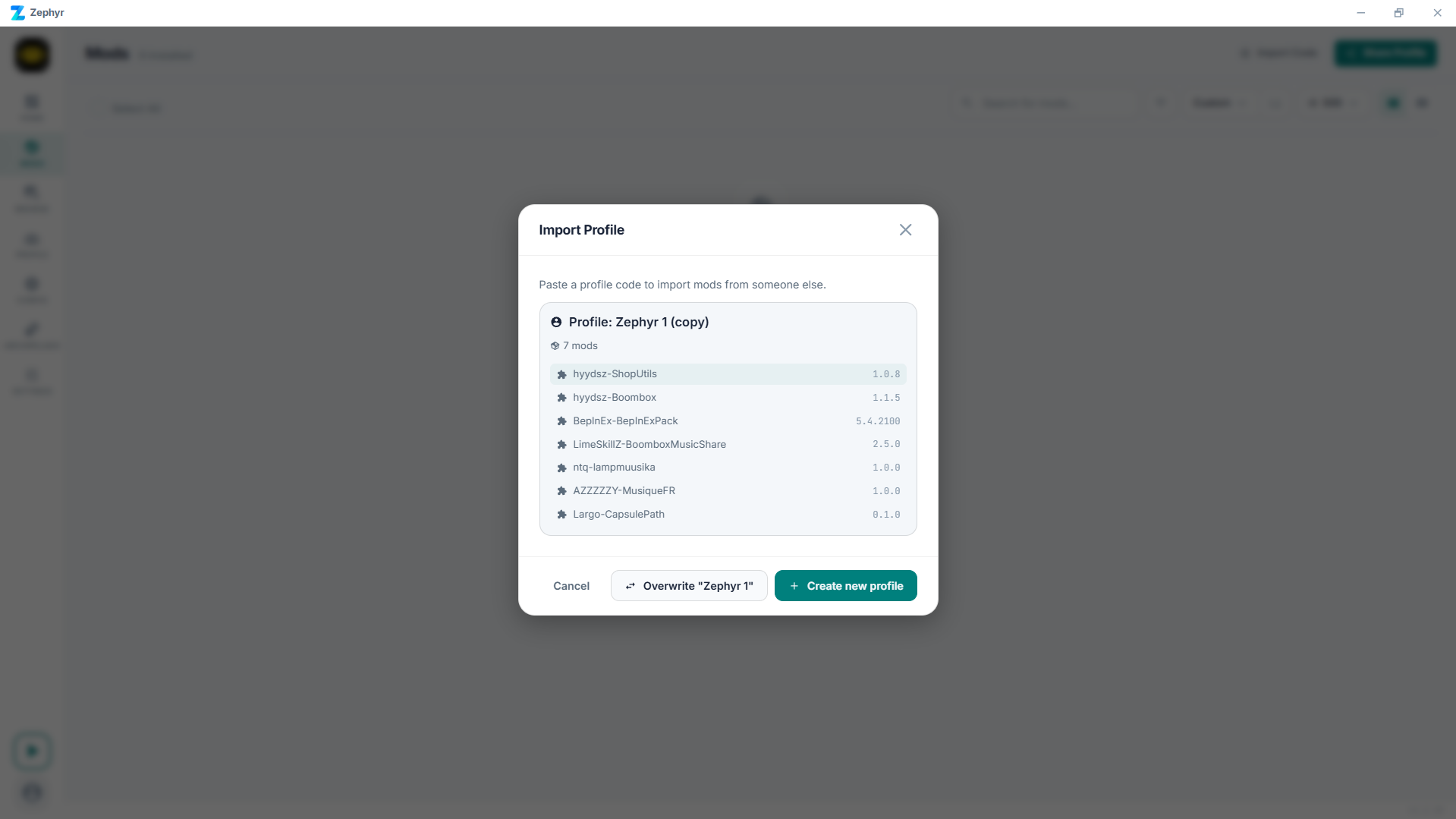
- The recipient clicks Import Code on their Mods page header, pastes the code, and picks whether to create a new profile or overwrite their active one.
Profile files
.r2z profile files are imported, not exported. If someone shares one with you (e.g. from another mod manager that exports .r2z), you can:
- Double-click the file - Zephyr registers itself as the handler for
.r2z. - Drop the file onto the Zephyr window.
Either way Zephyr opens the same import dialog as the code flow.
What's in the recipe
- Mod list with exact versions and sources (Thunderstore / CurseForge / local).
- Per-mod configs you've edited.
- Custom load order if you set one.
- Profile metadata (name, optional icon).
Locally imported mods get bundled into the file because there's no source to re-download from.
Cloud sync
A signed-in Zephyr can sync profiles across your own machines. That's the same recipe model - the mods get re-fetched on each device. See Cloud sync.
Tips
- Pin versions explicitly if you're sharing for a co-op session. Letting mods auto-update at install time can desync players.
- Name profiles descriptively. "Lethal Company QoL only, no cosmetics" tells someone in 5 seconds whether it's what they want.
TIP
Publishing modpacks directly to Thunderstore from Zephyr is on the roadmap but not yet wired up. For now, share profiles via codes / files as above.