Config editor
The Config page is a structured editor for mod settings. Instead of opening .cfg files in Notepad and hoping you don't break the parser, you get a UI with the right control for each setting type.
What it edits
Most BepInEx-based mods write a .cfg file in the game's BepInEx/config/ folder. The format looks like:
[General]
## Enable the feature.
# Setting type: Boolean
# Default value: true
EnableFeature = true

## How aggressive (1-10).
# Setting type: Int32
# Default value: 5
# Acceptable value range: From 1 to 10
Aggressiveness = 7
Zephyr parses these files - the comments included - and renders each setting with the right UI:
- Booleans -> ON / OFF toggle button
- Ints / floats -> number input (with min/max enforced when the file declares a range)
- Enums -> dropdown
- Strings -> text field
- Flag enums -> multi-select
For files Zephyr can't parse, the editor shows the parse error rather than a structured view; an Open file action in the page header opens the raw file in your OS's default editor.
The view
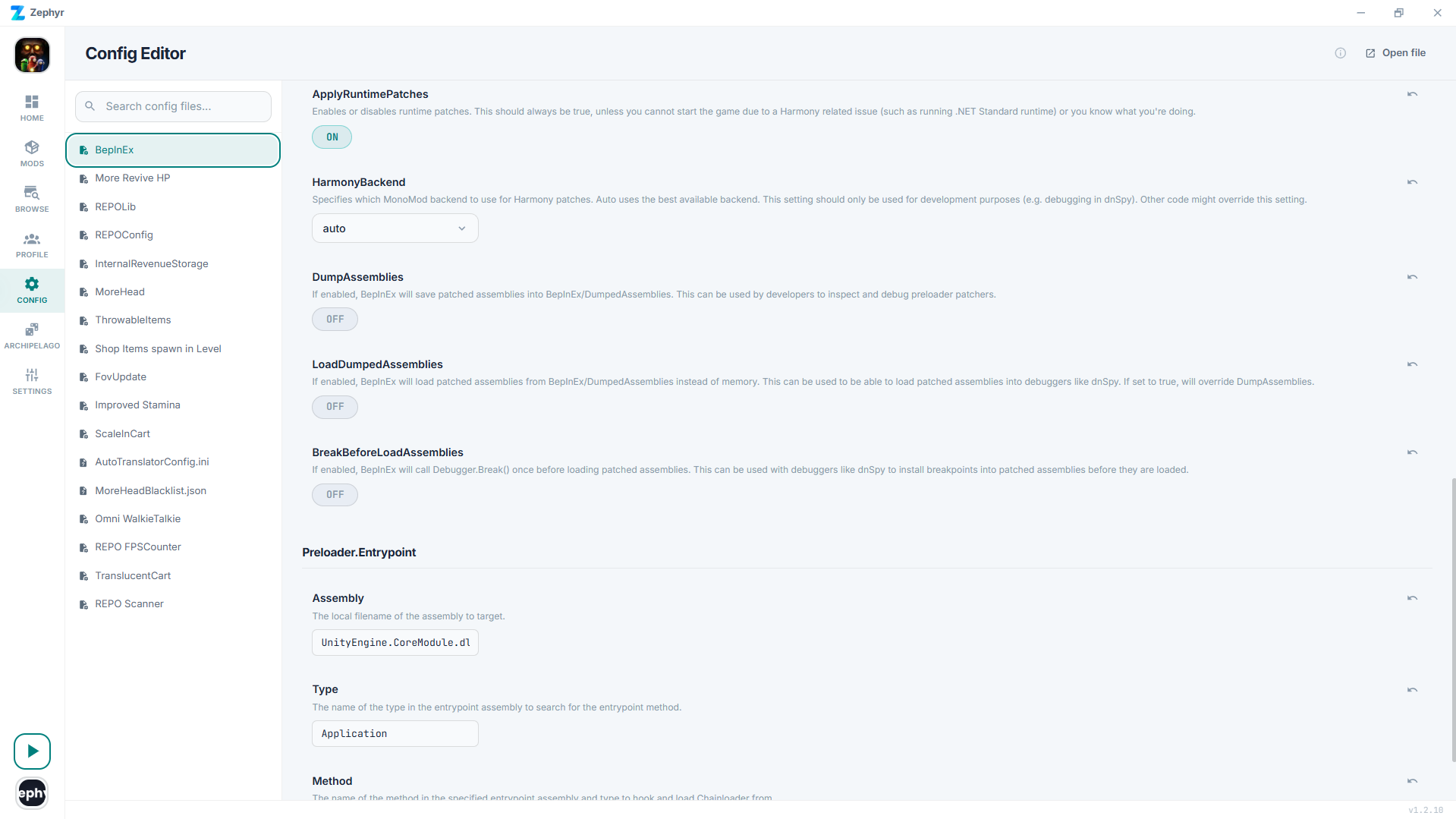
The left sidebar lists every config file in your active profile. Search filters the list. Click a file to load its settings. Settings are grouped by section, with the original mod-author description shown above each control.
Editing
Change a value, the file is saved instantly. There's no Save button.
Reset to default
When a setting has a default declared in the file, an undo icon appears next to its name that restores the parsed # Default value:.
Mod hasn't generated its config yet?
A common gotcha: many BepInEx mods only write their config file the first time the game runs with the mod loaded. If you don't see a mod's config in the list, launch the game once and come back.
Per-profile
Configs are profile-scoped. The same mod can be configured differently in two profiles, no conflict.
Opening the file directly
If you need to hand-edit something Zephyr can't represent, the Open file button in the page header opens the selected file in your OS's default editor.