Hosting a session
Once you've saved at least one player slot, the Multiplayer view (right pane on the Archipelago page) is where you generate the seed and run the actual Archipelago server everyone connects to.
The Multiplayer view
Switch the right pane to Multiplayer.
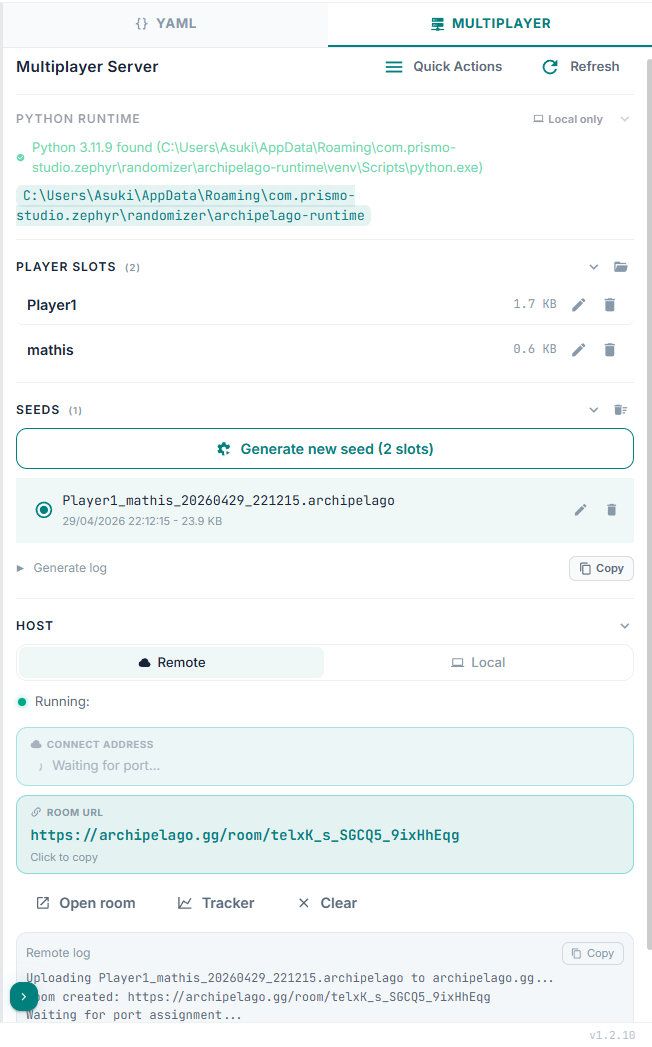
It has four collapsible blocks:
- Python runtime - status (Python found, Archipelago found), warnings if anything is missing.
- Player slots - every YAML you've saved from the configurator.
- Seeds - generated
.archipelagofiles. - Host - the running server controls.
A Quick Actions menu in the header gives you: Patch a game, Open console, Refresh Schemas.
Step 1: collect player slots
Each YAML you save from the configurator becomes a row in Player slots. To add another player, configure another game (or another variant of the same game) and save. To add a friend's YAML, drop the file into the runtime's player folder (the Open folder icon next to "Player slots" jumps you there).
You can rename or delete slots from the row.
Step 2: generate the seed
When all the slots you want are listed, click Generate new seed (N slots) in the Seeds block. Zephyr runs Archipelago's generator against your slots and streams output to the Generate log.
A successful generation produces:
- A
.archipelagofile (the seed itself, what the server hosts). - Per-player patch files for the games that need them (
.aptloz,.apz5, etc.). - A spoiler log.
The new seed shows up in the Seeds list. You can rename, delete, or delete-all from there.
Step 3: distribute patches
The catalog page for each game shows that game's setup link. For ROM-based games, players need their patch file. The Quick Actions menu has Patch a game which can apply the patch and launch the game's client right from Zephyr if Zephyr knows the patcher for the game.
For other distribution: open the seed's output folder and send each player their patch by Discord/etc.
Step 4: start the server
In the Host block:
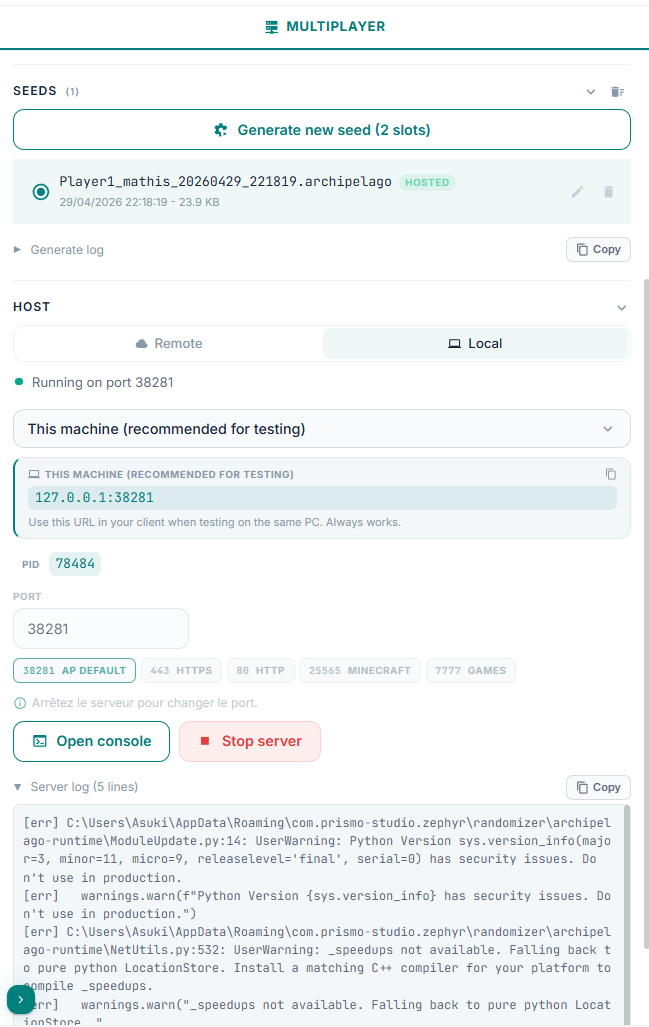
- Mode - Local runs the server on your machine. Remote uploads the seed to archipelago.gg's hosting and gives you back a room URL.
- Port - defaults to
38281(the standard Archipelago port); editable. A few quick-pick presets are listed too. - Password (optional) - leave blank for no password.
Pick a seed in the Seeds list, click Start server (Local) or Upload & Start remote (Remote). The Host block then shows status, address(es), and a server log.
Connect address
For a local host, Zephyr surfaces three address cards so you can pick the right one for your situation:
- This machine -
127.0.0.1:<port>. For testing on the same PC. - LAN / Tailscale - your local IP. Works on the same WiFi router, or via Tailscale, Hamachi, or ZeroTier (recommended for friends).
- Public Internet - your public IP. Requires the port forwarded on your router.
TIP
Many ISPs use CGNAT (shared IP) or block incoming ports, so port forwarding won't always work. Tailscale on both machines (free, ~2 min setup) sidesteps both issues - share your Tailscale IP from the LAN / Tailscale card.
Server console
The Quick Actions -> Open console action opens an Archipelago server console window:
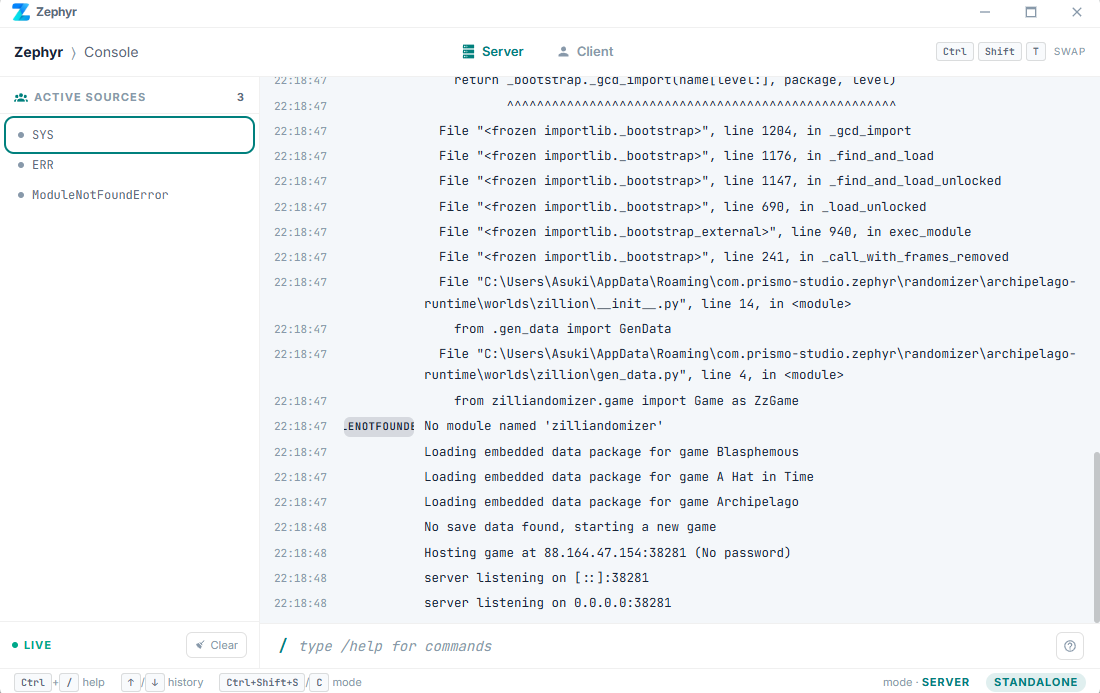
You can type the standard Archipelago server commands there (/help lists them all).
Multiple sessions
Only one local host runs at a time. Stop the current host before starting a different seed.
Cleanup
The Seeds list keeps every generated seed. Use Delete all seeds in the header, or the per-row delete, to clean up.